One tag protects the ball. The same account tracks the player. Teams add accountability on top.
Full guide
What is SoccQR
SoccQR is a connected soccer product built around one core object: the ball. It starts as a smart lost-and-found tag, expands into a player account and season log, and now extends into lightweight team accountability for coaches.
SoccQR is not split across separate tools. Tags, player stats, and coaching all sit on the same product foundation.
Guide map
Use this guide map if you want to jump to a specific part of the product.
Overview
The simple answer
SoccQR does three jobs that build on each other.
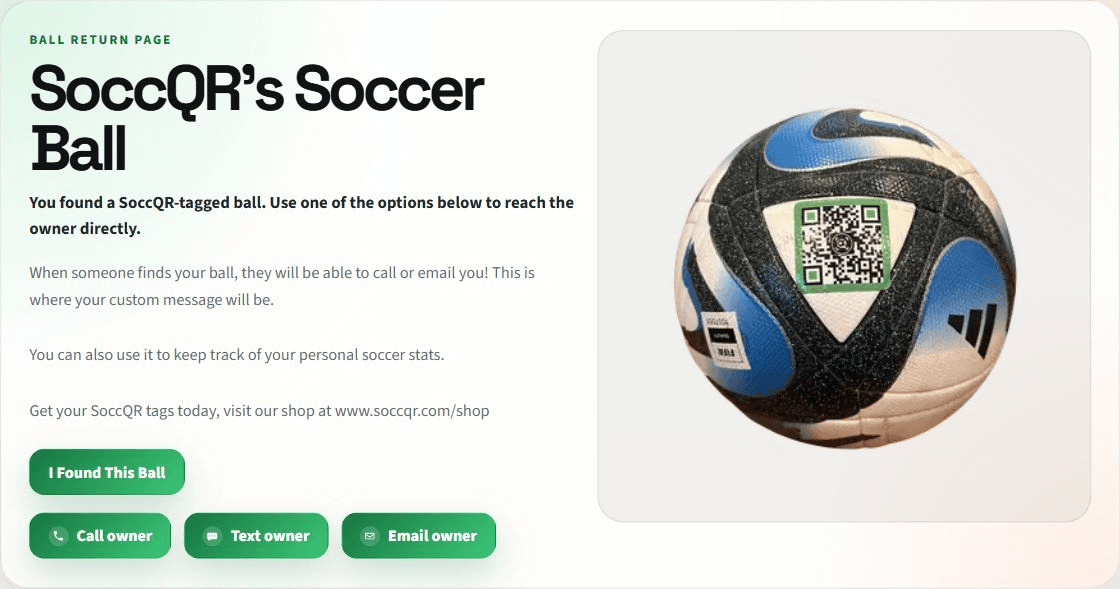
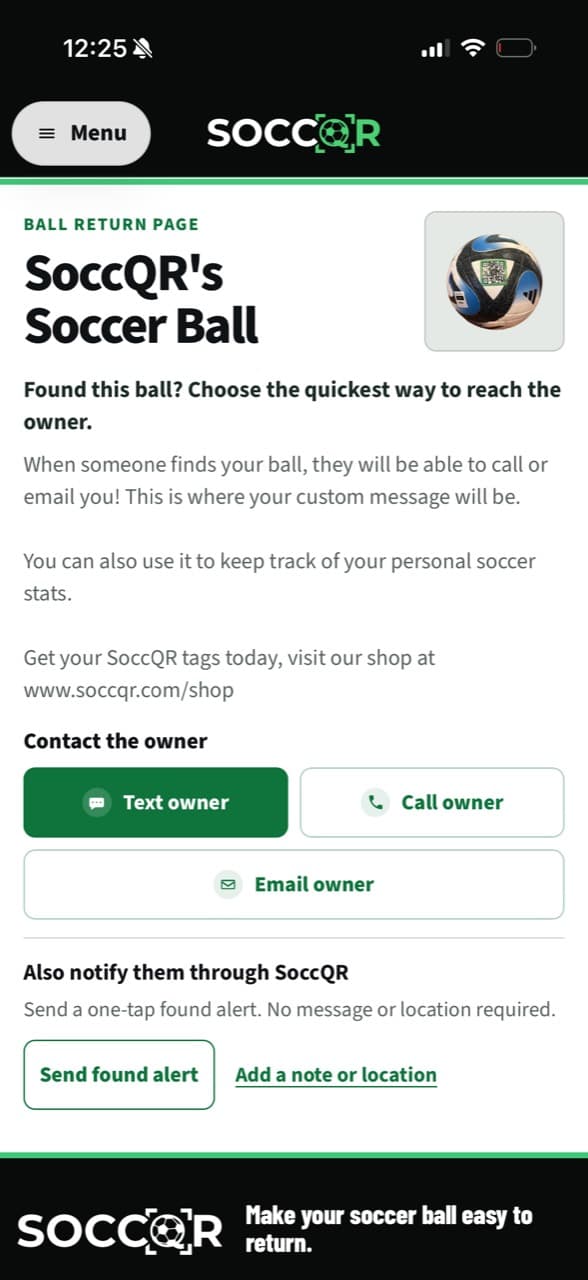
A SoccQR tag turns a soccer ball into a scannable item with a public return page.
The same account can log sessions, matches, and progress instead of stopping at lost-and-found.
Teams and assignments let coaches see who is actually doing work outside practice.
The product is intentionally connected. A player does not need one app for tag setup, a second app for stats, and a third app for coaches. SoccQR is designed so the tag can be the front door, while the account grows into a usable player history and team tool over time.
Owner view
Owner controls and tag management
SoccQR lets the owner manage a tag while still seeing the public experience clearly.
A visual example of this part of SoccQR is coming soon.
- Owners can claim and manage their tag.
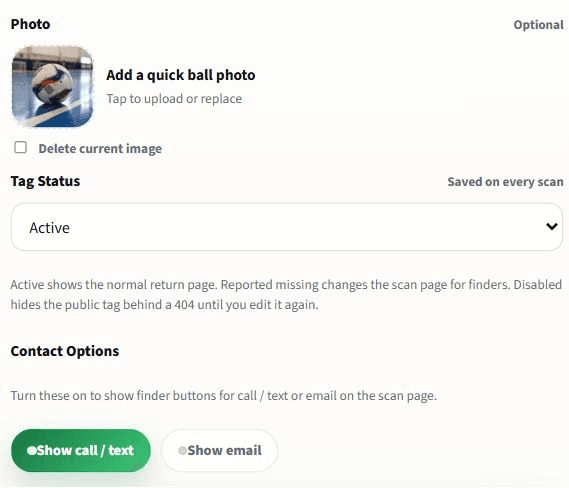
- They can update the title, message, and tag image.
- They can choose which contact methods appear publicly.
- They can view the public page without owner mode to see what others will actually see.
- They can jump back into management using the Manage this tag link.
This owner/public split matters. A lot of products only show the edit view to the owner, which makes it hard to understand the real scan experience. SoccQR keeps the live return page easy to check before the tag is put into use.
Player account
Player profile and stats
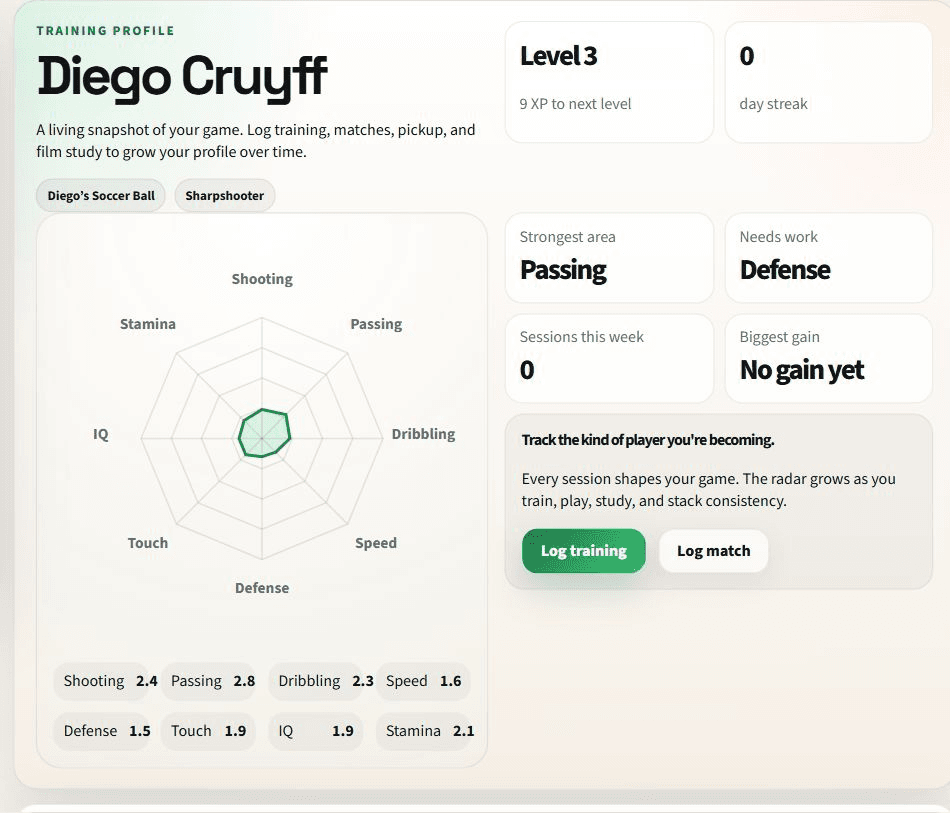
Once a player has an account, the product expands from recovery into development tracking.
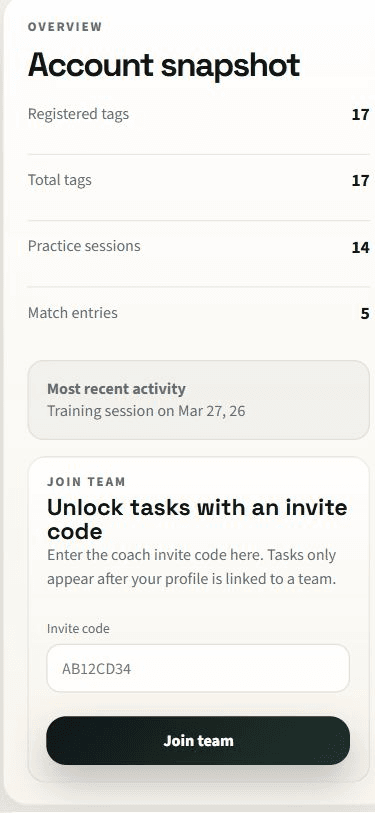
The profile keeps the owner details tied to tags and team access, and now also houses the invite-to-team entry point.
The stats view gives players a running picture of training load, progress, streaks, achievements, and recent output.
The same account email is what coaches use for invites and team access. That keeps tags, sessions, and teams tied to one player identity.
A visual example of this part of SoccQR is coming soon.
Logging
Sessions, progress, and activity history
The logging system is what makes the player side and coach side useful. Without saved activity, the rest of the product stays mostly cosmetic.
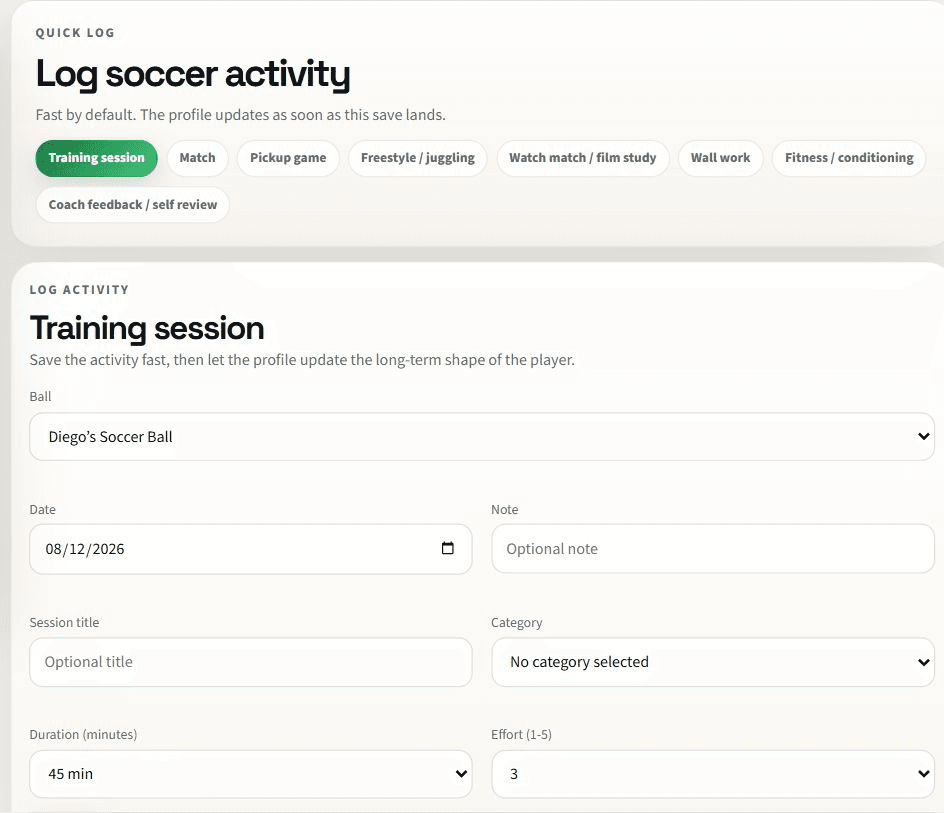
- Players can log training sessions and matches.
- The current system also supports broader player activity types, not just one generic log.
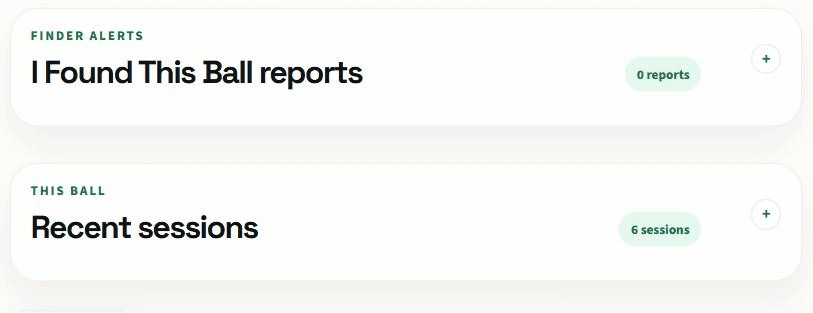
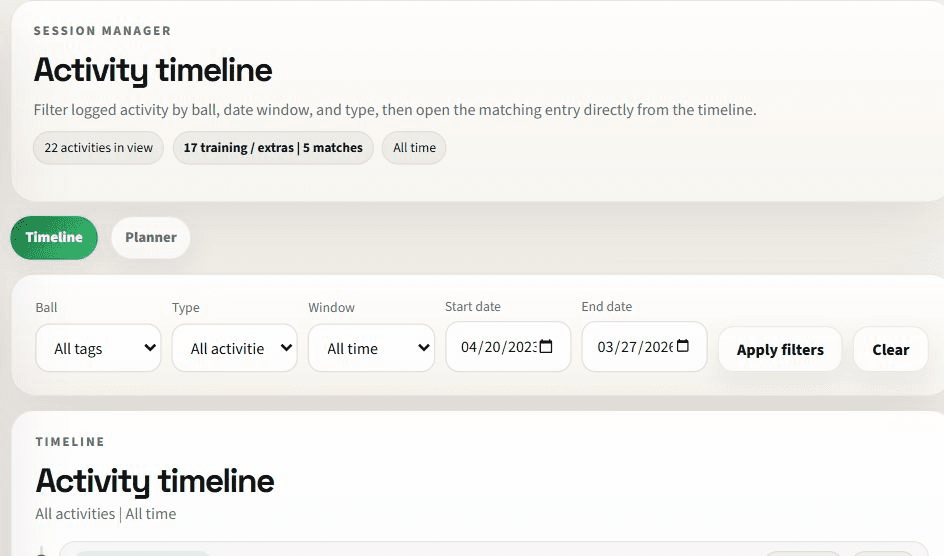
- Saved sessions feed streaks, weekly totals, recent activity lists, and progress views.
- The session manager gives players a place to review and edit their saved history.
- Assignment completion can be tied back to a real logged session.
A visual example of this part of SoccQR is coming soon.
This is what makes SoccQR more than a label. The platform keeps growing value after setup because the player can continue adding history, reviewing trends, and building a real record of work over time.
Teams
Team memberships and assignments
The team layer is intentionally lightweight. Players only see those surfaces when they are actually on a team.
A visual example of this part of SoccQR is coming soon.
- Players join through a coach invite code or a team invite email.
- Coaches can send a direct invite by email or share a team-specific invite link.
- Players must accept invites before they become active roster members.
- Assignments are then shown inside the player's team workspace.
- Players can log work or mark assignments complete from that flow.
A useful design choice here is that team tasks are not always visible. They only appear once the account is connected to a live team membership. That keeps the regular player experience from feeling cluttered for solo users.
Coach Mode
Coach Mode and accountability
Coach Mode extends the player activity system instead of replacing it. Coaches are reading real player logs, not a parallel set of fake team-only metrics.
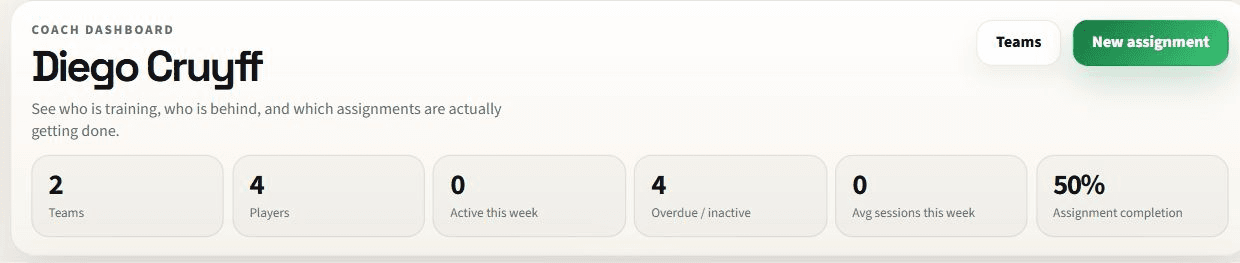
Shows total players, active players this week, overdue or inactive players, average sessions, and completion rates.
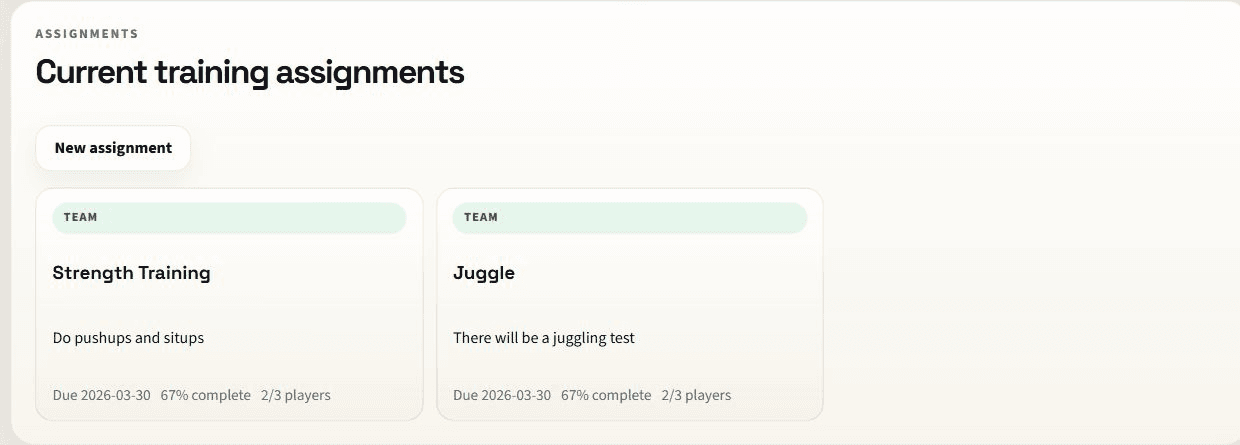
Show invite link access, roster activity, alerts, assignment rollups, and player removal controls.
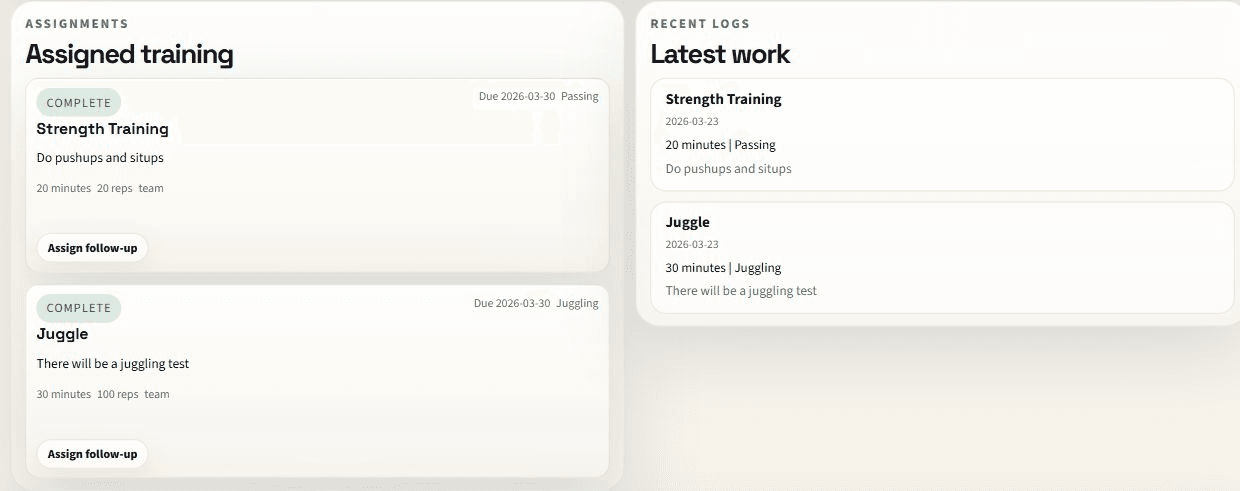
Show recent logs, activity totals, completion rates, streaks, and short coach notes.
A visual example of this part of SoccQR is coming soon.
- Coaches can create teams and invite players.
- Assignments can target a full team or a single player.
- Status is based on recent activity and overdue work.
- Coaches can remove players from a roster when needed.
- Removed players now need a fresh invite before they can rejoin that team.
Coach access
How Coach Mode is set up
Coach Mode is available for coaches and team leaders who want rosters, assignments, and accountability tools.
- Players default to the regular player experience.
- Coach Mode is turned on for the right account after review.
- Your account email is what connects teams, assignments, and player history together.
- That keeps access clean as coaching features continue to grow.
It keeps team access organized, protects player data, and makes sure the right people start in the right workspace.
Start here
Best way to start with SoccQR
If someone is brand new to the product, this order will get them value fastest.
Claim a tag, add the basic return-page details, and confirm the public scan flow looks right.
Save a practice or match so the player dashboard has real data to work with.
Only join a team or use coach workflows once the base player account is already working cleanly.
That is the easiest way to understand the whole system. Start with the ball. Then understand the player. Then layer in the team.