Loading your guide…

How it works
Open a compatible phone camera, point it at the SoccQR code, and tap the link. The ball's return page opens in your browser with the owner's message and chosen contact options. No SoccQR app or finder account is needed.
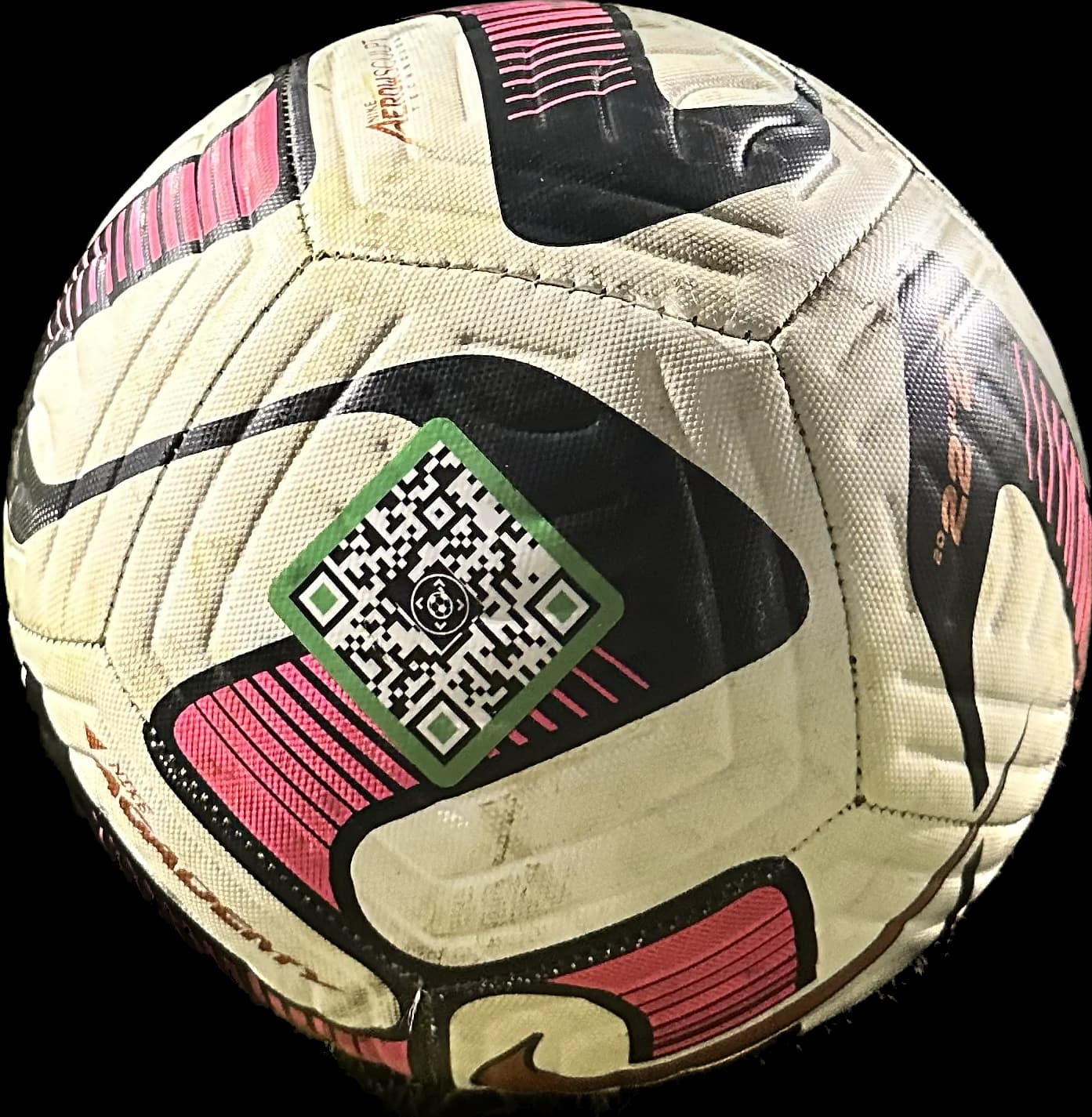
Keep the whole QR pattern in the camera frame with enough light to see it. Tap the link your phone displays. You need internet access to load the return page.
Read the ball name, photo if supplied, and finder message. A page may identify the ball as reported missing. Contact choices depend on what the owner enabled.
Use an available call, text, or email button. You can also deliberately send a SoccQR found alert, with an optional note or current location.
A QR code is a two-dimensional barcode. SoccQR uses it to store a web address for an individual tag's return page. Scanning the pattern opens that address; it does not identify every soccer ball by its appearance.
A manufacturer's barcode may identify a product model. A SoccQR tag connects this particular ball to the details its owner has configured. In countries where the game is called football, ‘football QR code’ can describe this same kind of return tag on a round soccer ball.
SoccQR is not a FIFA game-code scanner or a tool for redeeming digital football rewards. If that is the code you have, use the instructions provided by its issuer.
A call, text, or email button opens the relevant contact action on your device. You still need to complete the call or send the message. Opening that action does not itself submit a SoccQR found report.
The separate Send found alert button records a report for the owner. You can send it without a message or location. If you add a note, explain where the ball was found or left; do not assume the owner can reply through an anonymous alert.
Location sharing is optional and requires your browser's permission. It shares the phone's current location for that report, not a continuous location feed from the ball.
Apply the tag to a clean, dry ball panel and allow 24 hours before hard play. Sign into your account, claim the tag, and name the ball. Add a photo and a brief finder message, then choose what contact details you want public.
For a child's ball, use the responsible adult's contact information and keep private details out of the public message. Preview the page while signed out and check it after changing your contact preferences.
SoccQR's advantage over a fixed printed link is the maintained return page: update the ball details or contact choices without replacing the code. A readable phone-number label can also help, but its printed details need updating on the ball itself.
When you mean the round ball used in association football, the SoccQR return process is the same: read the code with a compatible camera and open its link. A code issued for a game, ticket, or promotion can have a different purpose. SoccQR's current site is in English and its shop ships within the United States.
No SoccQR scanner app is required. Use a compatible phone camera or its built-in QR reader, then open the link in a browser.
A SoccQR tag can last a full season. Wear varies with the ball surface, application, and playing conditions. Apply it to a clean, dry panel, allow 24 hours before hard play, and check the edges and readability regularly. Replace a damaged label.
Yes, you can create a QR code linking to a contact page you maintain. You also need suitable label material, a reliable destination, and a way to keep contact details current. SoccQR combines a flexible tag with a managed return page and found alerts.
SoccQR's return flow does not require an owner to publish a home address. The owner chooses public contact options and writes the finder message, so they should avoid putting private details in that message.
No. A printed QR code has no power or radio. It needs to be read before someone can open its link, and it cannot report a ball's live location.
A flexible tag. An editable return page. A clear next step for the person who finds your ball.
U.S. shipping included. Activation included. No monthly fee. Tags only; ball not included.