Loading your guide…

For teams & coaches
Give each team ball a visible identifier and a return contact, keep a simple assignment list, and count the balls at the start and end of practice. SoccQR adds an editable finder page to that routine.
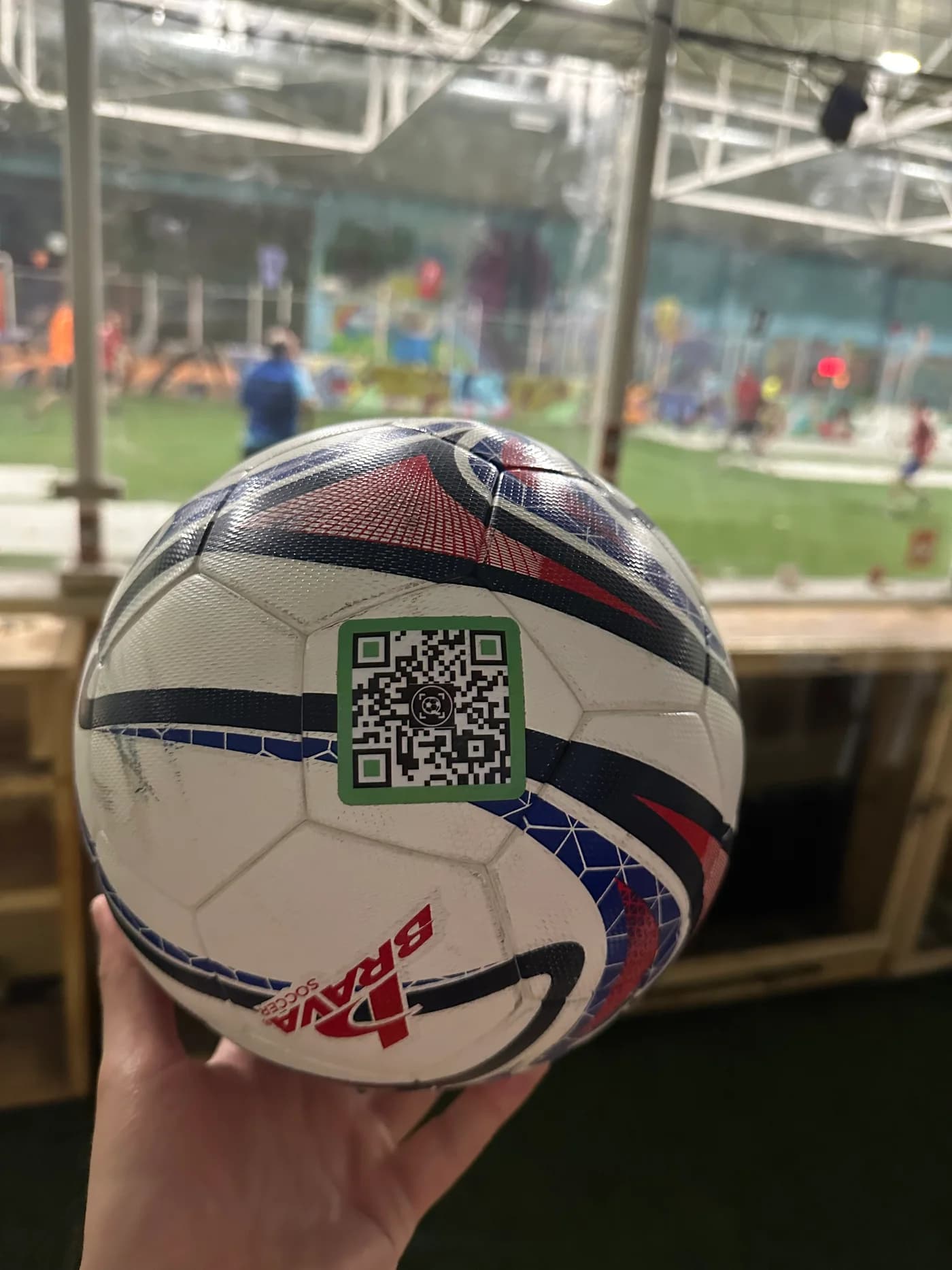
‘Blue size 5 ball’ is not much help when the whole squad has one. A short identifier such as U12 Blue 07 makes it easier to name the missing item and check which ball went home with which player.
A number works inside the team. Outside it, a finder also needs a way to reach someone. Add a club contact label or a SoccQR return tag, then use the same identifier on the ball's return page and your team list.
Number the balls, photograph them, and activate any QR tags before distribution. Apply SoccQR tags to clean, dry panels and allow 24 hours before hard play.
Use a paper list or spreadsheet with ball ID, assigned player or bag, date out, and date returned. This is a suggested team routine, not an automatic SoccQR checkout feature.
Assign an adult or player helper to compare the final count with the starting count. Check goals, benches, and the adjacent field while the team is still together.
Send the identifier and photo to the team. For a tagged ball, mark it missing and keep the return contact available.
For club-owned balls, use an account and contact route managed by the responsible adult. For player-owned balls, have the parent or player follow the appropriate account setup and contact choices. Decide this before handing out tags.
Keep public finder messages focused on the equipment. An adult's chosen contact route and a ball identifier are more useful than a child's full name, home address, or weekly schedule.
When staff or phone numbers change, update the account and public contact details. Check account ownership separately: changing a finder message does not transfer a tag to another account.
SoccQR connects the physical ball to a public return page. A finder can check the photo, read the message, and use the contact options enabled by the owner. They do not need to join the team, install an app, or create an account.
The Team Pack contains 25 tags. Use the shop to check current pricing and shipping. A pack of tags gives your equipment return contacts; it does not automatically assign players, track ball locations, or replace the team's final count.
Equipment management and player development are different jobs. Alongside its return tags, SoccQR includes an optional player journal and coach tools for teams, assignments, check-ins, and feedback.
Use a short assignment and player reflection to follow up between practices. A logged session can start a useful coaching conversation, but it is not independent proof of skill improvement or an automatic measurement from the ball.
No. QR tags identify individual balls when scanned. Keep a manual starting and ending count; SoccQR does not detect nearby inventory automatically.
Yes. Use a separate tag for each ball you want to identify individually, and give each return page a clear name and photo.
The owner controls the public contact options. Set up the ball with the responsible adult's details and confirm what appears on the signed-out finder page.
A flexible tag. An editable return page. A clear next step for the person who finds your ball.
U.S. shipping included. Activation included. No monthly fee. Tags only; ball not included.